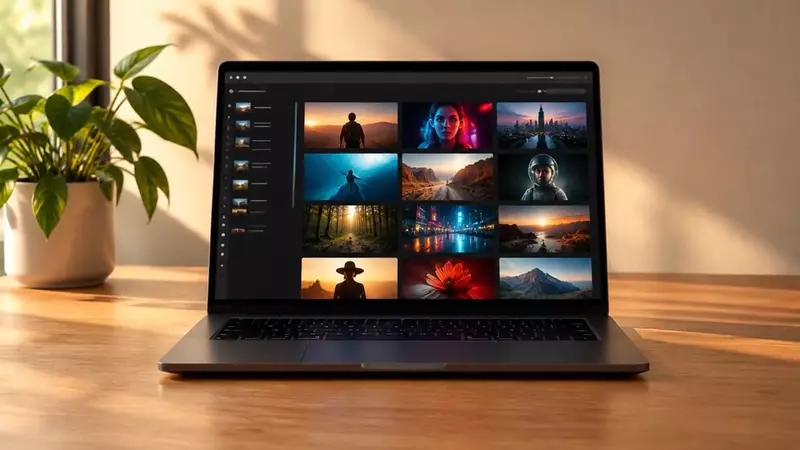
AI video generator with every top model in one studio
Most AI video tools lock you into one model. VYRA puts 21 of them behind one prompt box — Kling 4.0, Seedance 2.5, Veo 3.1, FLUX 3 Max, H3 Max, Wan 3.0 — so you can write once, compare results and pay only for the clips you keep. Text to video, image to video with start and end frames, native sound and up to 4K, on one credit balance.
How it works
Step 1
Describe one shot
Write the subject, one action, the camera move and the light in a sentence or two. Or upload a photo to animate it — the first image becomes the start frame.
Step 2
Pick a model and length
Kling 4.0 for multi-shot stories, Seedance 2.5 for cinematic motion with native sound, Veo 3.1 for realism. Choose 5–30 seconds and a resolution; the credit price updates before you generate.
Step 3
Generate, review, remix
Clips take one to three minutes. Failed generations return their credits automatically. Rerun with the same prompt, change one setting, or upscale the clip in Motion.
Text to video
A good text-to-video prompt reads like a shot list: one subject, one action, a camera move, a lens and the light. “A barista pours latte art in slow motion, 85mm, shallow depth of field, warm window light, dolly in” gives every model something concrete to render. Vague mood words produce random results; specific nouns and verbs produce usable clips. The free AI video prompt generator writes three such prompts from a few words.
Image to video
Upload a product photo, portrait or illustration and the model animates it, keeping the subject consistent. Describe only the motion — “slow orbit around the bottle, soft steam rising” — because the image already defines the look. Models with end-frame support let you upload a second image to control where the clip lands, which is how the one-click video effects are built.
Video models and credit prices
Standard price for the settings shown; other lengths, resolutions and references change the quote, which you always see before generating.
| Model | Maker | Best for | From |
|---|---|---|---|
| FLUX 3 Max | Black Forest Labs | Newest flagship video: sharp prompt-following, sound, start + end frames | 85 credits · $1.70 · 5s · 720p · with sound |
| H3 Max | MiniMax | MiniMax's newest video model, from 480p tests to 1080p | 25 credits · $0.50 · 5s · 480p |
| Kling 4.0 | Kuaishou | 3–30s clips, multi-shot: separate shots with a line of --- | 48 credits · $0.96 · 3s · 720p |
| Seedance 2.5 | ByteDance | ByteDance's newest cinematic model with sound, up to 30s | 89 credits · $1.78 · 4s · 480p · with sound |
| Kling 3.0 Pro | Kuaishou | Top-tier motion, native audio, start + end frames | 84 credits · $1.68 · 5s · with sound |
| Veo 3.1 Fast | Google video with dialogue & sound, up to 4K | 60 credits · $1.20 · 4s · 720p · with sound | |
| Seedance 2.0 | ByteDance | Cinematic multi-shot with sound, up to 15s | 152 credits · $3.04 · 5s · 720p · with sound |
| Veo 3.1 Lite | Veo with sound from 15 credits | 20 credits · $0.40 · 4s · 720p · with sound | |
| Seedance 1 Lite | ByteDance | The cheapest good video — tests from 9 credits | 9 credits · $0.18 · 5s · 480p |
All 21 video models · Side-by-side comparisons · Plans and credit packs
Frequently asked questions
- How does VYRA's AI video generator work?
- You type a prompt or upload an image, choose one of the video models and a length, and VYRA sends the job to that model's provider. The finished clip is saved to your account, where you can download it, publish it to Explore or rerun it with changes.
- Is there a free AI video generator on VYRA?
- New accounts get 20 credits at sign-up with no card, enough for a first short clip on the cheaper models. Failed generations never cost credits.
- Which AI video models are available?
- 21 video models in one studio, including Kling 4.0, Seedance 2.5, Veo 3.1, FLUX 3 Max, H3 Max, Wan 3.0 and LTX 2.5 — every model on every plan.
- Can I turn an image into a video?
- Yes. Upload a photo and the model animates it as the start frame; several models also accept an end frame, so you can define where the motion finishes.
- Do the videos have sound?
- Seedance 2.5, Veo 3.1, FLUX 3 Max and Wan 3.0 generate native audio with the picture; Kling 4.0 and H3 Max render silent clips. Any clip can also get a voiceover, music or lipsync in the Audio studio.
- How long can an AI video be?
- Between 5 and 30 seconds per generation depending on the model. Kling 4.0 multi-shot splits one prompt into several shots inside a single clip; use Extend in Motion to continue a clip.
- How much does an AI video cost?
- Credits per clip depend on model, length and resolution and are shown before you generate. Pro is $7.99/month for 400 credits (from $6.67/month billed yearly); credit packs never expire.
- Can I use the videos commercially?
- Yes — you own what you generate and can use it for ads, social media, products and client work on every plan, subject to the content policy.
What people make with it
AI video generator for TikTok
Make 9:16 TikTok videos with AI: Seedance 2.5, Kling 4.0 and Veo 3.1 Fast in one studio, native sound, up to 30 seconds. 20 free credits, no card.
AI Reels generator
Generate Instagram Reels with AI in 9:16: Kling 4.0, Seedance 2.5, Veo 3.1 Fast and more, with sound. Animate a photo or write a prompt. 20 free credits.
AI YouTube Shorts generator
Make YouTube Shorts with AI: text to video or image to video on Kling 4.0, Veo 3.1 Fast, Seedance 2.5, then add AI voiceover and music in the same studio.
AI product video generator
Turn a product photo into a video: hero spin, unboxing, splash reveal, packaging untouched. Kling 4.0, Seedance 2.5, FLUX 3 Max. From 9 credits.
AI ad video generator
Create video ads with AI: hook, demo and CTA shots from text or a product photo, native sound, 9:16 and 16:9. Maestro plans the whole ad and shows the price first.
AI music video generator
Make an AI music video: cinematic or surreal visuals from text or album art with Seedance 2.5, Kling 4.0 and FLUX 3 Max; extend and stitch clips to a full song.
AI cinematic video generator
Generate cinematic AI video: anamorphic looks, dolly and crane moves, native sound. Seedance 2.5, FLUX 3 Max, Veo 3.1 Fast and Kling 4.0 multi-shot in one studio.
AI trailer maker
Make a trailer with AI: three to five cinematic shots, a voiceover and music, from one brief. Kling 4.0 multi-shot, Seedance 2.5, Voiceover, Music.
AI anime video generator
Anime-style AI video from text or your own illustration with Kling 4.0, Seedance 2.5 and Wan 3.0. Keep one character consistent across every clip.
AI real estate video
Turn listing photos into cinematic clips: slow pans, drone-style exteriors, twilight looks with Kling 4.0 and Veo 3.1 Fast. Add an AI voiceover. Property untouched.
AI video generator for e-commerce
Produce product videos for every SKU from packshots: hero spins, in-hand demos, lifestyle scenes. Kling 4.0, Seedance 2.5, one-click effects, from 9 credits each.
AI explainer video generator
Explainer videos with AI: Maestro turns a script into shots, Kling 4.0 renders them, Voiceover narrates, Music scores. Free planning, price shown first.
AI fashion video generator
Animate a look photo into a runway walk, slow-motion turn or editorial clip with Kling 4.0, Seedance 2.5 and FLUX 3 Max. Keep the garment exactly as shot.
AI video generator for LinkedIn
LinkedIn videos with AI: clean B-roll, product demos and talking-avatar explainers with Veo 3.1 Fast and Kling 4.0; add captions and an AI voiceover.
AI dance video generator
Make a photo dance: upload a character image and any dance video, and Motion Control copies the moves. 63 credits for a clip up to 5 seconds.
AI YouTube thumbnail generator
Make YouTube thumbnails with AI: 16:9 images with bold, readable titles from GPT Image 2 (6 credits), Nano Banana Pro or Ideogram 3. Use your face.
AI logo generator
Generate logo concepts with AI: wordmarks with correct spelling on Ideogram 3 (6 credits), icons on Recraft V3, then a transparent PNG with background removal.
AI poster generator
Design posters with AI: headline, date and details spelled correctly by GPT Image 2, Ideogram 3 or Nano Banana Pro, portrait 3:4 or 9:16, up to 4K for print.
AI headshot generator
Turn your own photo into a professional headshot: new background, light and outfit with Nano Banana 2.1 or Edit with Words, from 4 credits per image.